How to Get Your Monthly Payment Receipt and Invoice on WorldsIndia.com
If you are a registered member of <strong>**worldsindia.com**</strong> and are using its services such as premium B2B listing, lead generation, or advertising packages, it is important to keep a proper record of your payments. Monthly payment receipts and invoices are essential for business accounting, GST input claims, and overall financial management. Luckily, worldsindia.com makes it simple to download or request your monthly payment receipt and invoice through their website. Here is a complete step-by-step process to help you get your payment records quickly and efficiently.
1. **Login to Your Account**
The first step is to log in to your registered account on worldsindia.com.
* Visit [www.worldsindia.com](https://www.worldsindia.com)
* Click on the **Login** button located at the top right corner.
* Enter your **registered email address** and **password**.
Once logged in, you will be redirected to your dashboard where you can manage your company profile, products, services, and payment records.
2. **Navigate to the Billing Section**
After logging in, locate the **Billing / Payment History** section in the dashboard menu. This section contains all transaction-related information such as invoices, payment dates, and modes of payment used (online, UPI, net banking, credit/debit card, etc.).
3. **Select the Month or Period**
You can search for your invoice by month or by selecting a custom date range. If you are looking for a **monthly receipt**, select the desired month (e.g., September 2025). This will filter and display only the transactions related to that specific period.
4. **Download the Invoice**
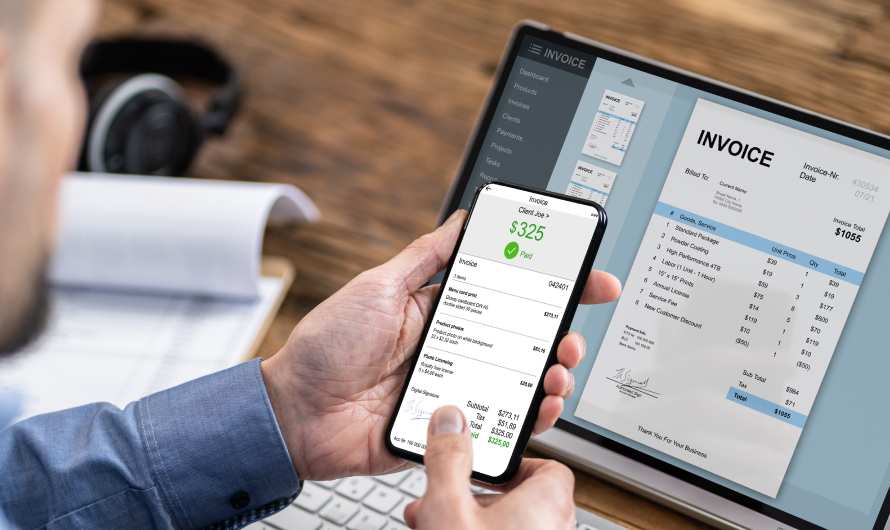
Once you locate the transaction, click on the **Download Invoice** or **View Receipt** button. A PDF version of the invoice will be generated. This document will include:
* Your company name and GSTIN (if provided)
* Payment date and transaction ID
* Package name or service subscribed
* Amount paid (with tax breakup)
* Payment mode and reference number
You can download and save this file for your records.
5. **Request Email Copy (Optional)**
If you want a copy directly in your inbox, click on **Email Invoice**. The system will send you a soft copy of the receipt or invoice to your registered email address within a few minutes.
6. **Contact Support for Assistance**
In case you cannot find your invoice or there is a mismatch in details, worldsindia.com offers customer support through:
* **Support Ticket:** Raise a ticket from your dashboard.
* **Email:** Send your query to their billing department with your registered email and payment proof.
* **Phone/Chat:** Contact their helpdesk for real-time assistance.
Keeping your **monthly receipts and invoices** properly downloaded ensures smooth tax filing, expense tracking, and compliance with accounting standards. WorldsIndia.com has designed a user-friendly process, so you can get your records anytime, anywhere with just a few clicks.

.svg)


All Rights Reserved ©2019-2026 Worldsindia.com | A Growing B2B Portal In The Worlds.
Managed By Web Intermesh Pvt. Ltd.